Spreads
 Admin User
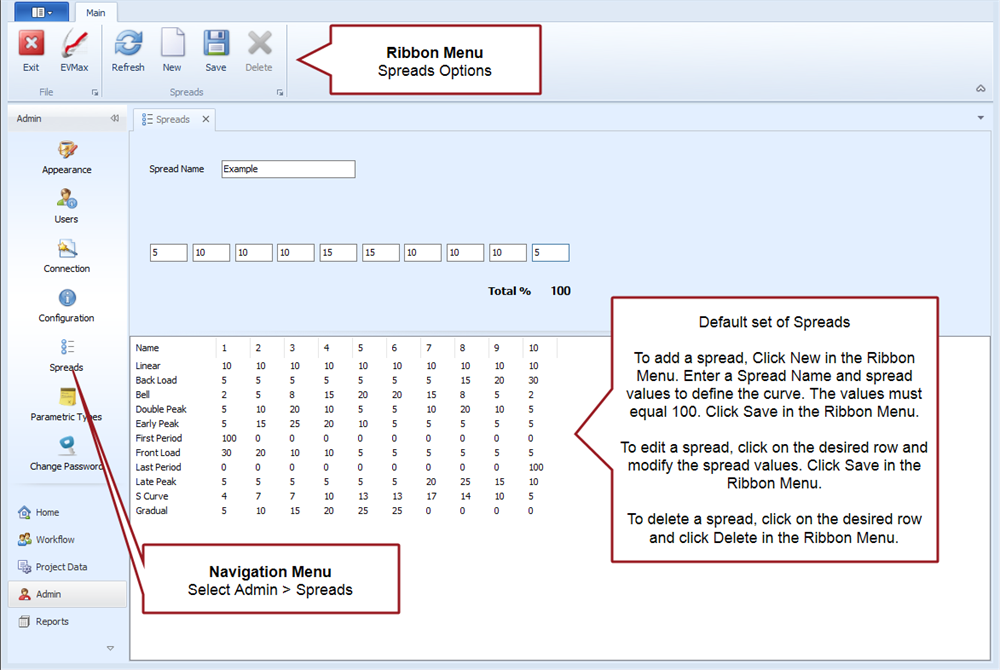
Spread curves or distribution profiles determine how base result values such as labor hours or direct costs are time phased over a defined work package time frame using a curve such as front load or back load. Each spread curve has a total of 10 curve values. The curve values must add up to 100%. Each curve value must be 0 or a positive integer, values cannot be negative. Setting a spread curve for a work package overrides the default linear spread.
Select in the Navigation Menu to view the default set of spread curves, add a new curve, as well as edit or delete an existing curve. All ProjStream software tools and projects share the list of spread curves.
 Spreads Tab